Connecting the battery communication system of the indoor version to the inverter
 Qualified person
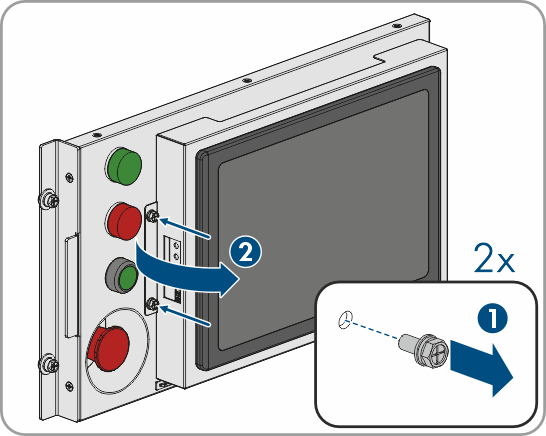
- Remove the two screws on the left-hand side of the control panel and open the display to the right.
- Route the communication cable along the frame of the primary battery cabinet and secure it to the frame using the cable ties included in the scope of delivery. Here, it must be possible to route the cable through the slot at the bottom of the display.
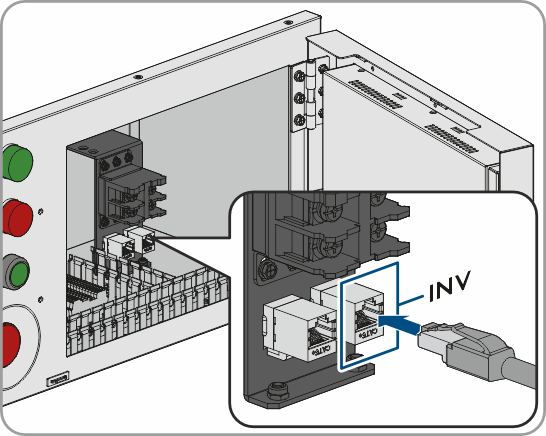
- Plug the cable into the CAN connection INV.
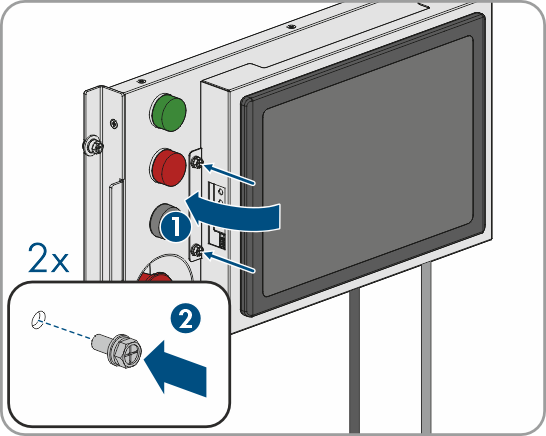
- Close the display. When doing so, make sure that each cable is in the slot at the bottom of the display and is not pinched.
- Attach the display using the 2 screws (tightening torque 2.5 Nm).