
Checking the Firmware Update
Once the system has restarted and system initialization is complete, check the upgrade. As a part of this, a version check and an error and alarm check must be performed.
Procedure:
Version check
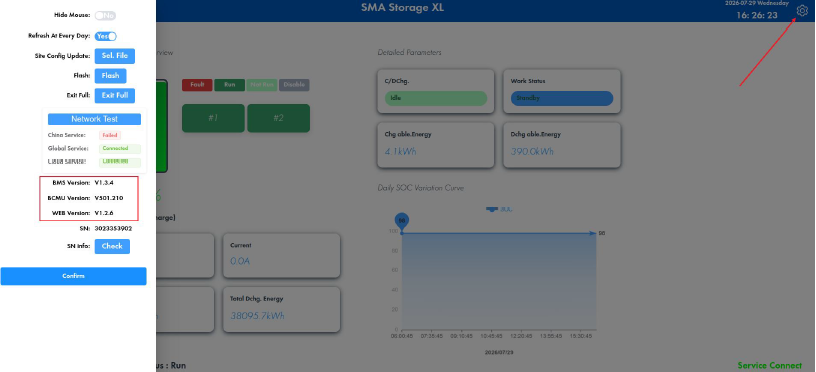
- Select the cogwheel icon at the top-right of the LCU screen.
- In the sidebar, check the actual versions of the BMS, BCMU and WEB.
- Ensure that the versions displayed match the versions of the upgrade package.
Error and alarm check
- Allow the system to run normally for a certain amount of time.
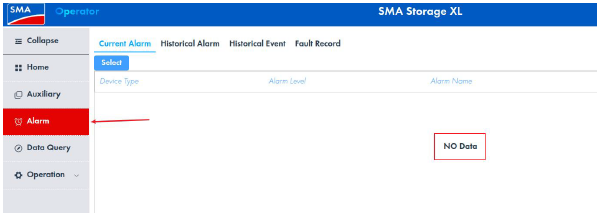
- On the left-hand side of the LCU screen, select Alarm.
- Check whether any active errors or alarms are being displayed.
- Ensure that there are no errors or alarms present.
The upgrade has been completed successfully once the version check and the error and alarm check have been performed without any issues arising. If there are any errors or alarms or the versions do not match with the upgrade package, perform the described upgrade procedure again.
Also see: