Disconnecting the Battery Contactor
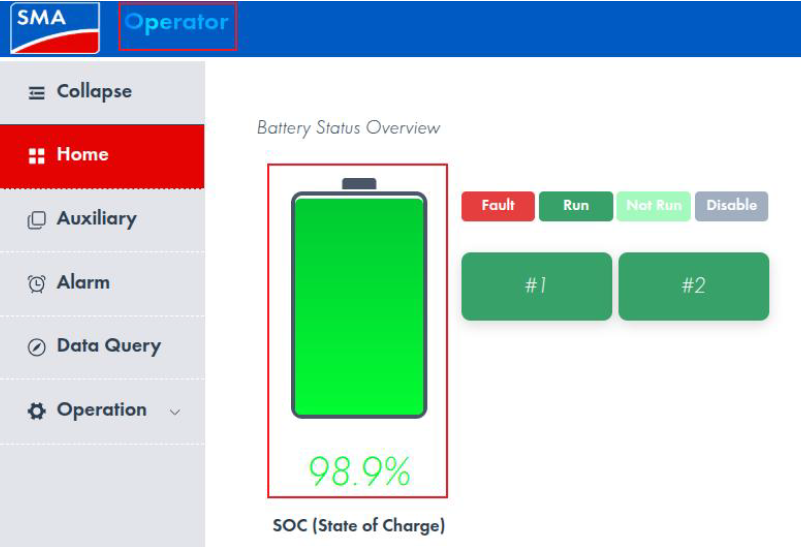
- Select Terminal User on the battery cabinet control panel at top left. The Log in window will open. Use the arrow to select Operator and click on Log in. You will receive the password following participation in the certification training. After entering the password, confirm it and then click on Log in. Then, confirm again in the new window via Confirm.
- Select the battery icon.
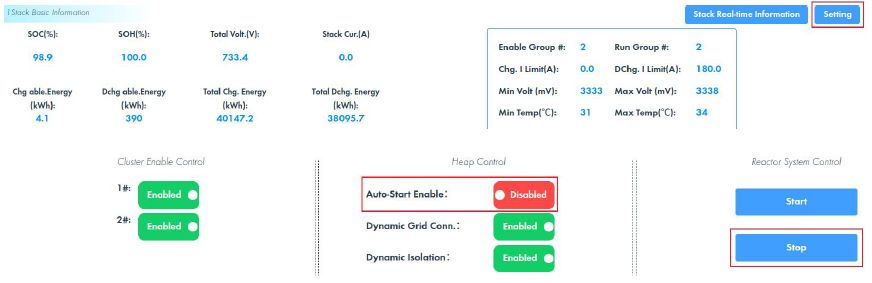
- Select the Setting button.
- Ensure that AutoStart Enable is disabled.
- Select the Stop button.