
PV System Design with Sunny Design
Sunny Design is a software package for planning and designing PV systems and PV hybrid systems. Sunny Design provides you with recommendations on possible designs for your PV system or your off-grid system.
The print version of the Sunny Design user manual can be found in the download area at https://www.sma.de/service/downloads.html.
The online version Sunny Design Web can only be used via the internet (www.SunnyDesignWeb.com).
After registration in Sunny Design Web, different PV systems can be calculated and saved for further calculations or adjustments.
We will show you the design of an off-grid system in the following example:
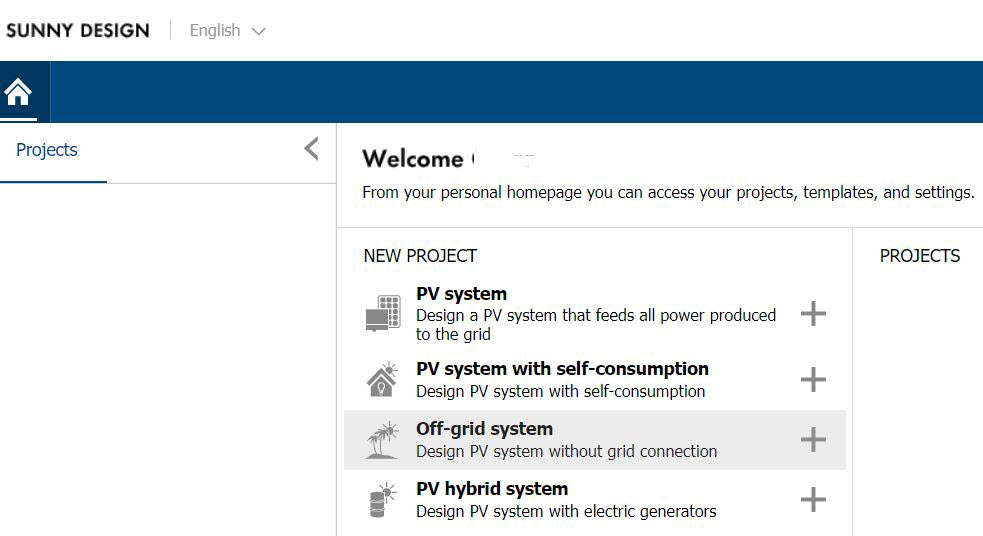
- On the home page under Projects > New, select Off-grid system as new project.
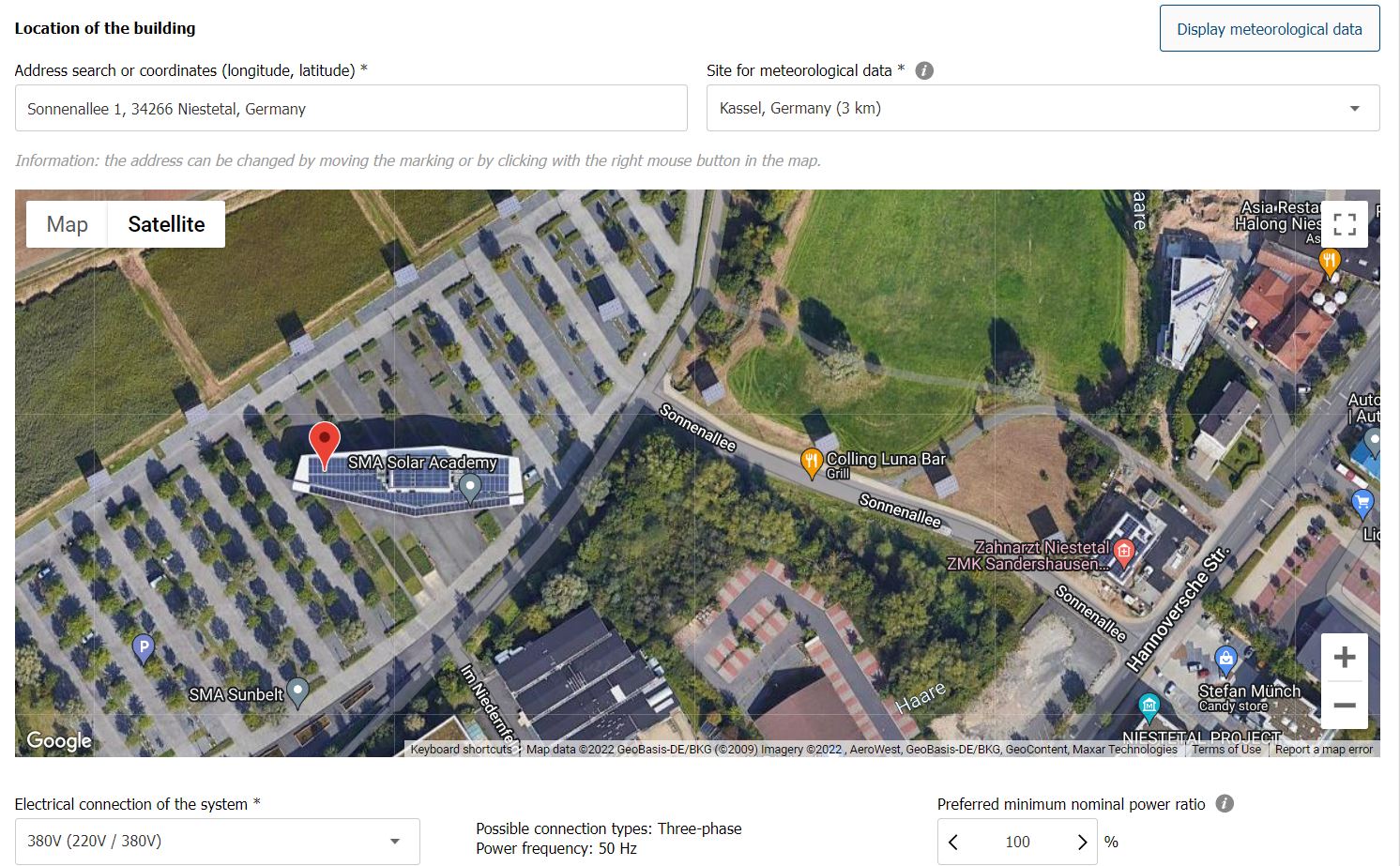
- Enter the project data such as Project name, Location of the building and Electrical connection of the system in the Project data menu.
Once all required data have been entered, select [Define load profile]. - In the Load profile menu, the load profile must be defined.
On the YouTube channel by SMA Solar Technology there are videos in German and English that exactly describe how you can define a load profile with Sunny Design.
In addition, there are also predefined load profiles to choose from.
After entering the data, click on [Configuration of the PV system]. - In the PV system menu, first configure the PV arrays. These can be defined visually depending on the roof or manually.
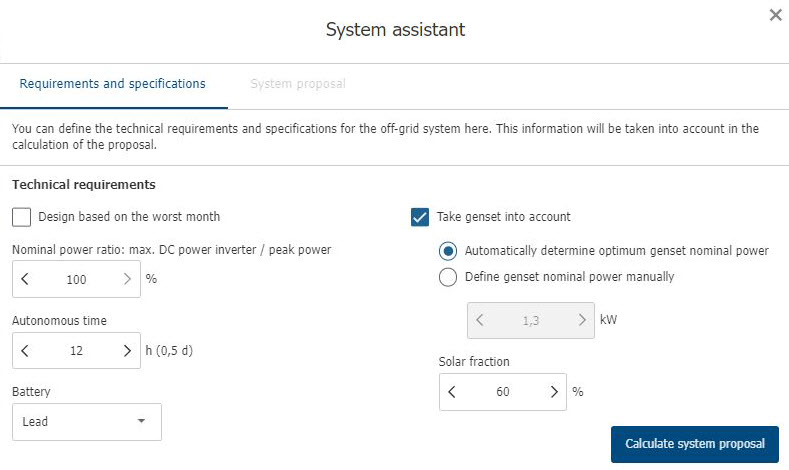
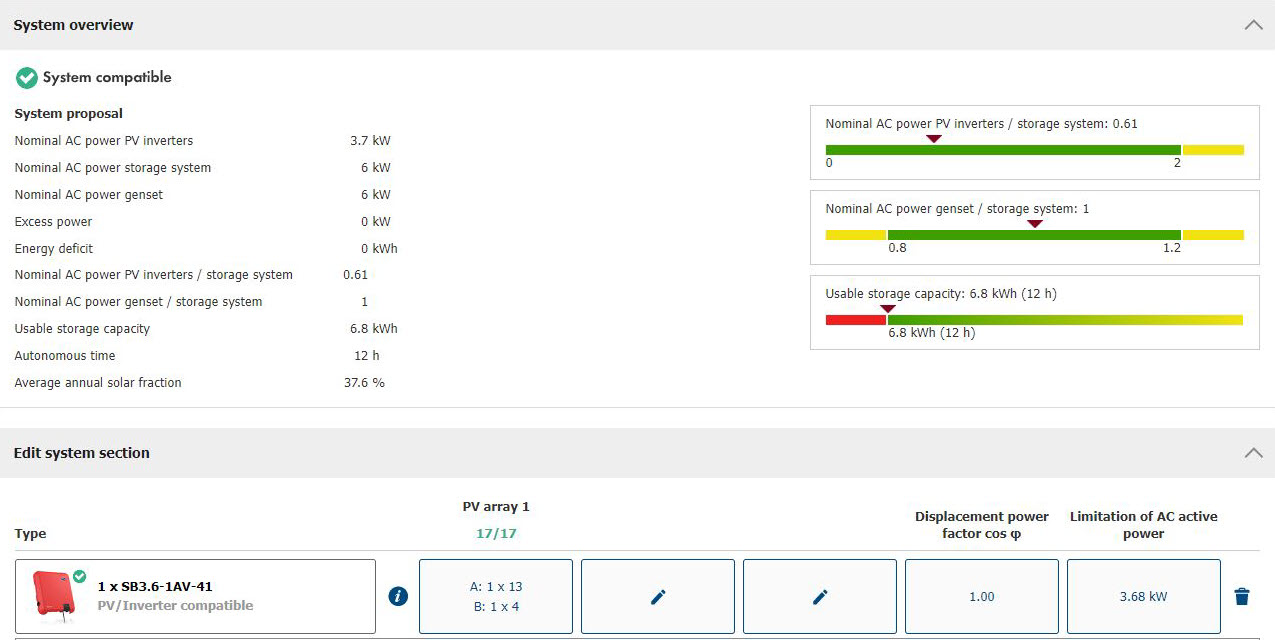
When you select Manual planning, you can enter the PV array power manually or have it calculated automatically via the System assistant of the program. - When you select [Calculate system proposal], the system assistant calculates a proposal which you can edit and accept.
Information: This calculation should definitely be verified. - The system assistant also calculates the size and power of battery and photovoltaics as well as their inverters.
- To verify the calculation made by the system assistant, either select [Battery system configuration] or Battery system in the menu bar.
- If a diesel generator is present, this can be adjusted in the Genset menu. The automatically calculated size of the generator (kVA), should be verified by you.
- To calculate the cable cross-sections either select [Cable sizing] or Cables in the menu bar.
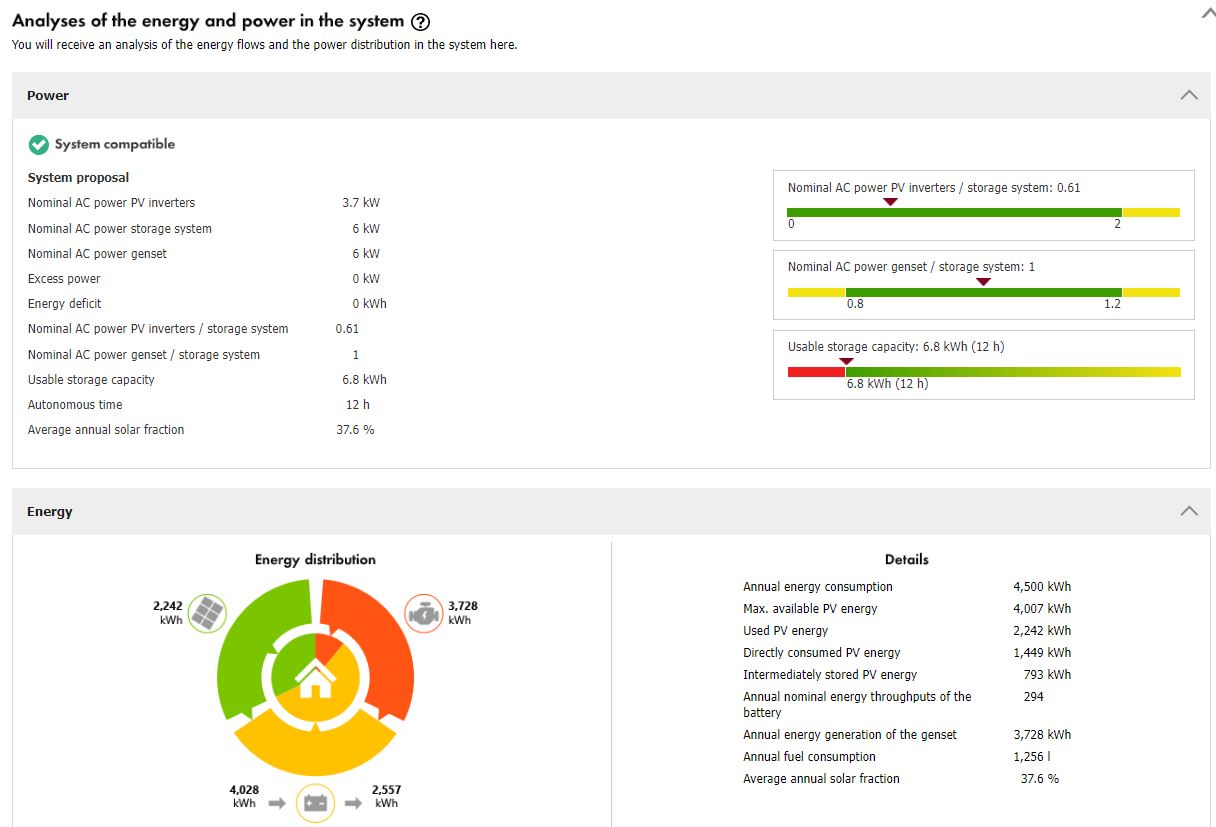
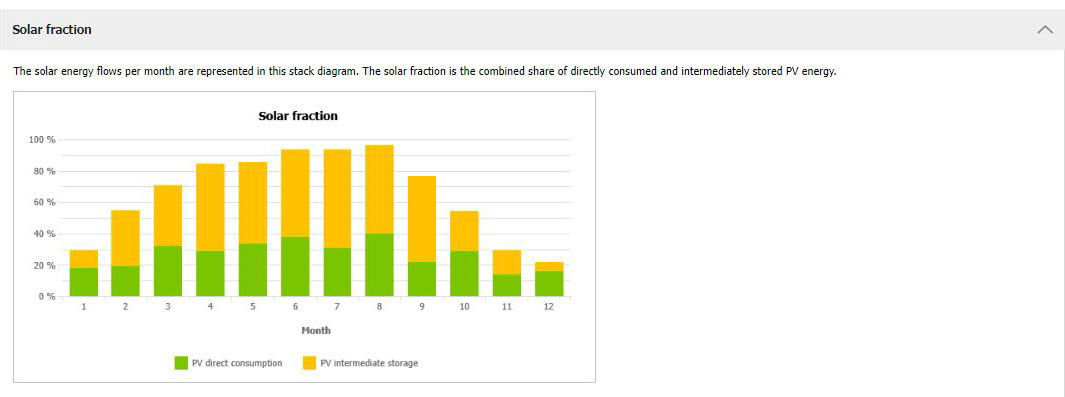
- In the menu Analyses of the energy and power in the system, energy and power of the PV system are displayed in an overview as well as in a simulation of how these values are distributed within the system and which energy sources the system supplies. The solar irradiation different by the month is shown in the annual distribution forecast.
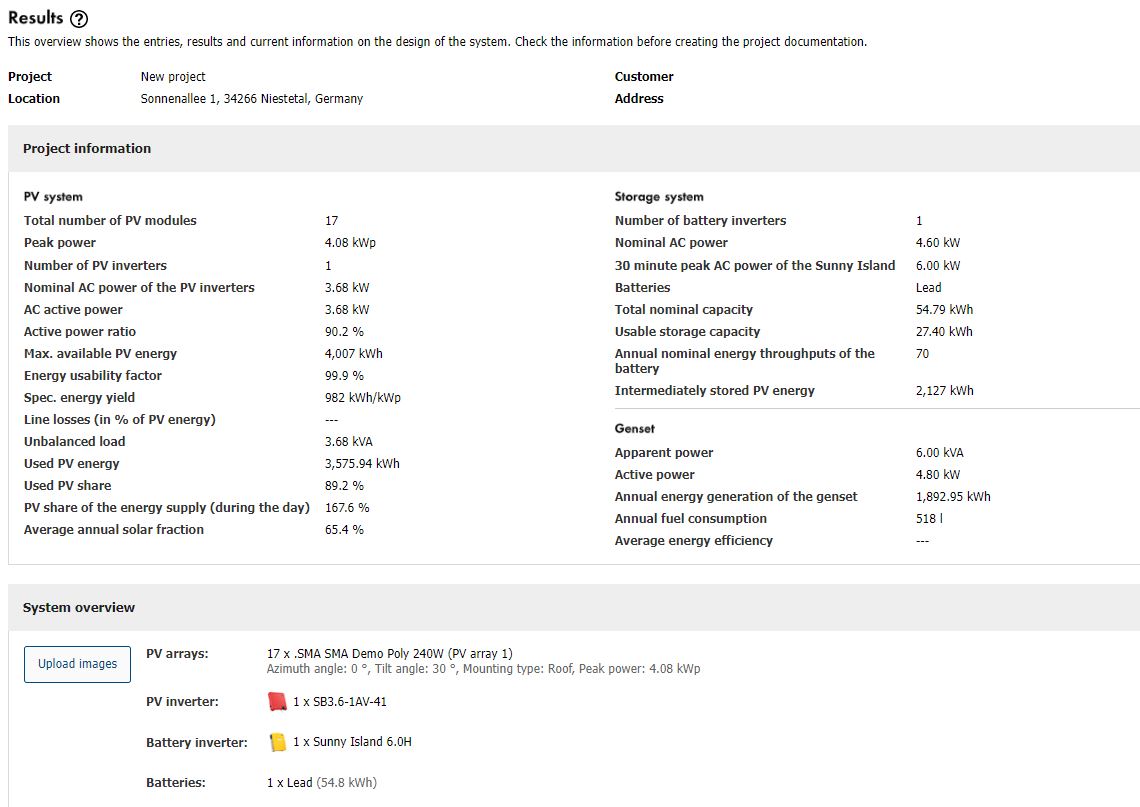
- In the Results menu all information on your PV system is compiled:
You can find further information on the design of off-grid system with Sunny Design Web in a tutorial on the YouTube channel of SMA Solar Technology AG.
A user manual specifically for the Sunny Design software can be downloaded in our download area at https://portals.sma.de.