
Disconnecting the Terminals from the Inverter
 Qualified person
To decommission the inverter completely upon completion of its service life, proceed as described in this Section. If the inverter is defective and you have received a replacement device, observe the information on Replacing the Product with a Replacement Device.
Procedure:
- Disconnect the inverter from all voltage sources ( > Disconnecting the Inverter from Voltage Sources).
- Wait until the enclosure has cooled down.
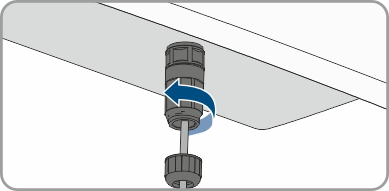
- Unscrew the swivel nut from the threaded sleeve for the network cable.
- Unscrew and remove the threaded sleeve from the network port thread on the inverter.
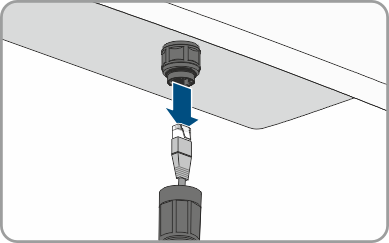
- Release the connector of the network cable and pull it out of the network port on the inverter.
- Take the cable support sleeve out of the threaded sleeve and remove the network cable from the cable support sleeve.
- Lead the network cable out of the threaded sleeve and the swivel nut.
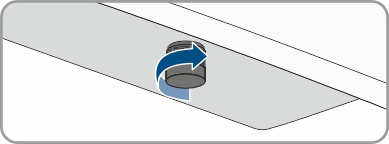
- Screw the protective cap onto the network port.
- The same applies to the BAT CAN connection.
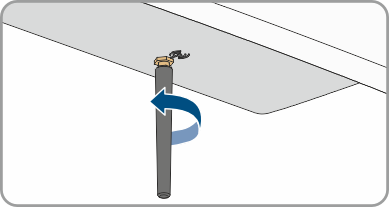
- Unscrew and remove the antenna.
- If there is a protective cap available, plug the protective cap onto the jack for connecting the antenna.
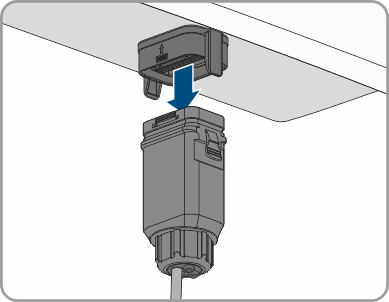
- If present, remove the Multi I/O connector from the socket.
- Put the protective cap on the socket.
- Remove the AC grounding conductor. To do this, unscrew the screw M5x12 at the connection point and remove the grounding cable.
Also see: