
Disconnecting the Terminals from the Inverter
 Qualified person
To decommission the inverter completely upon completion of its service life, proceed as described in this Section.
Procedure:
- Disconnect the inverter from voltage sources and secure it against being switched on again ( > Disconnecting the Inverter from Voltage Sources).
- Wait 30 minutes for the enclosure to cool down.
- Unscrew the swivel nut from the cable gland.
- Remove the 6 screws (M4x8, tightening torque 1.6 Nm) of the cover of the AC connection area and then pull it off the device.
- Remove the cable from the cable gland.
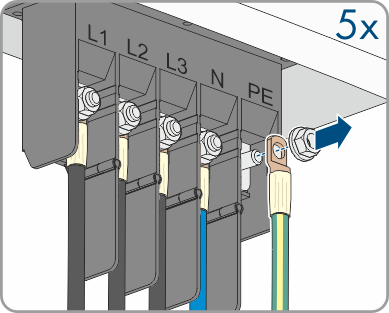
- Using a ratchet, loosen the conductors L1, L2, L3, N and PE (M10) with the ring terminal lugs from the threads in the upper area.
- Loosen the fuse and cable gland at the communication connection area.
- Remove all connection cables from the communication assembly.
- Remove the connection cable from the cable gland.
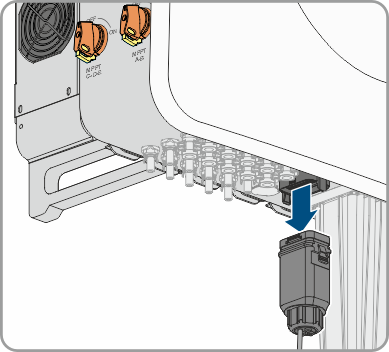
- Remove the DC connectors from the inputs.
- Insert sealing plugs onto the DC inputs.
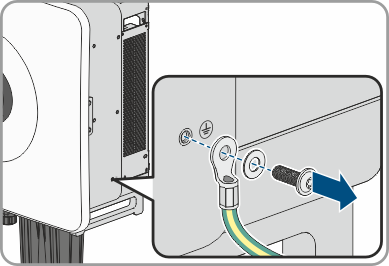
- Remove the grounding cable of the external protective grounding (M6x12, tightening torque: 4.5 Nm).
CAUTION
Risk of burns due to hot enclosure parts
Also see: