Disassembling the DC Connectors
 Qualified person
To disassemble the DC connectors for connection to the pv modules (e.g. due to faulty assembly), proceed as follows.
Procedure:
- Release and remove the DC connectors. To do so, insert a flat-blade screwdriver or an angled screwdriver (blade width: 3.5 mm) into one of the side slots and pull the DC connectors out. When doing so, do not lever the DC connectors out, but insert the tool into one of the side slots only to release the locking mechanism, and do not pull on the cable.
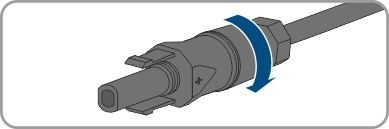
- Remove the DC connector swivel nut.
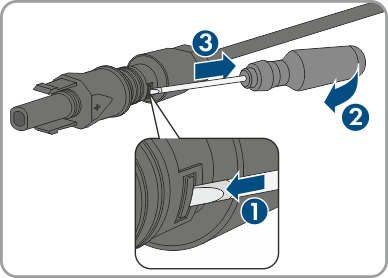
- Unlock the DC connector. To do this, insert a flat-blade screwdriver (blade width: 3.5 mm) into the side catch mechanism and pry the catch mechanism open.
- Carefully pull the DC connector apart.
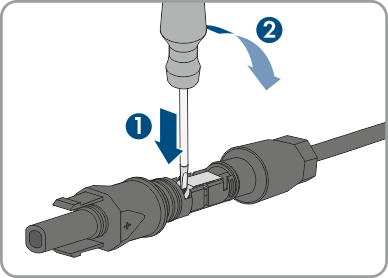
- Release the clamping bracket. To do so, insert a flat-blade screwdriver (blade width: 3.5 mm) into the clamping bracket and pry the clamping bracket open.
- Remove the cable.